
Internal Communication
All company news, in one place
Publish your announcements in Kammi: information, important reminders, events. Your employees read them on their home page, like them and comment on them.
How does an announcement travel?
From writing to reactions, in four steps
Write
The administrator writes the announcement and picks its category: Info, Important or Event.
Publish
The announcement goes into the feed, pinned if needed, shown everywhere or in a single suite.
Read
Employees find it on their home page and on the Communication page.
React
Everyone can like and comment on the announcement.
Company news, all in one place
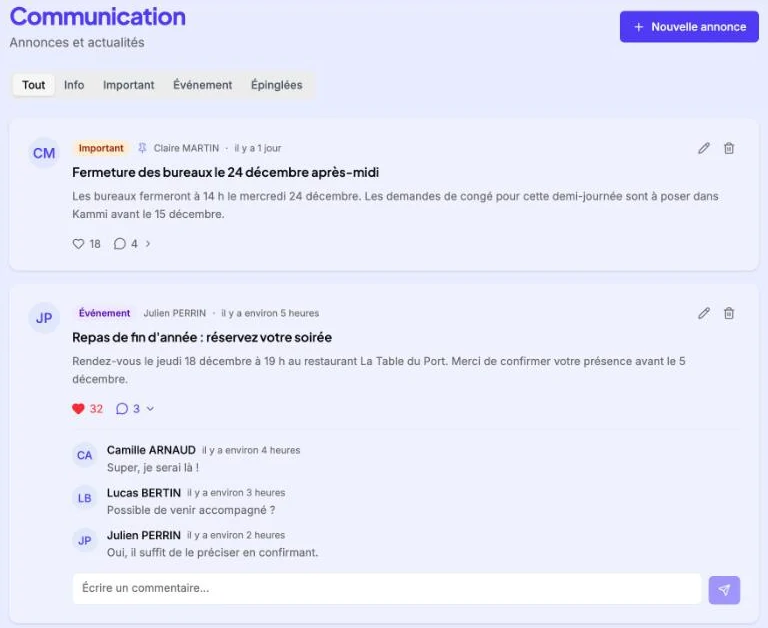
All announcements are read on a dedicated page, from newest to oldest, with pinned announcements first. Everyone can like and comment on an announcement.
- Filters: Info, Important, Event, Pinned
- Likes and comments on every announcement
- Author and publication date shown
- An unpinned announcement leaves the feed after 14 days
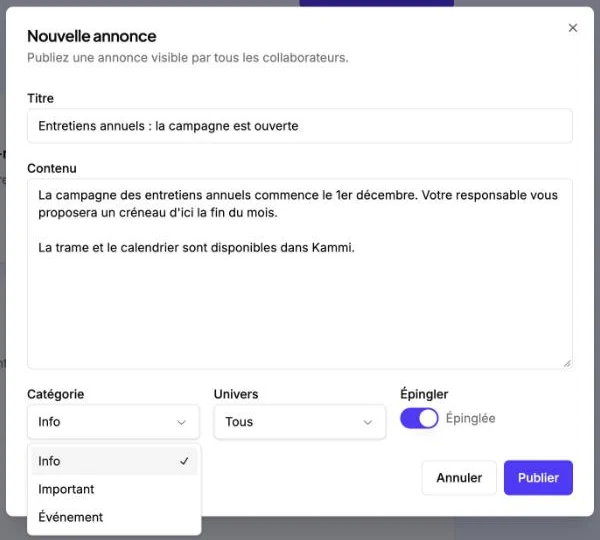
An announcement published in seconds
The administrator sets a title, a text and a category. They can pin the announcement to keep it at the top of the feed, and show it everywhere or in a single suite of the app.
- Three categories: Info, Important, Event
- Pinning to keep an announcement on top
- Announcement shown everywhere or in a single suite
- Edit or delete at any time
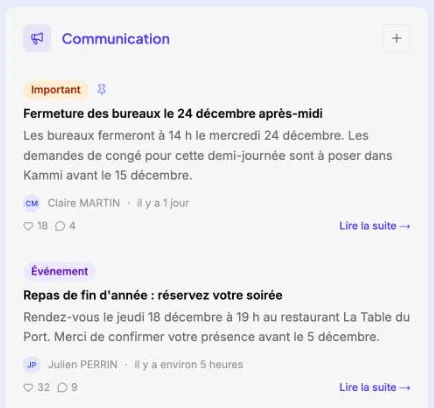
The latest announcements on everyone’s home page
The latest announcements also appear on the app home page. A link leads to the full announcement and to all the others.
- Category, title and start of the text
- Number of likes and comments
- “Read more” link to the announcement
- “+” button to publish, for administrators only
Why choose Kammi for your internal communication?
Inform your teams where they already work
One feed for everyone
Company announcements sit alongside leave and schedules: nobody has an extra tool to open.
What matters on top
A pinned announcement stays at the top of the feed, with no time limit.
Clear categories
Info, Important, Event: each announcement has a coloured badge, and the feed can be filtered by category.
Conversations
Likes and comments under each announcement. A comment’s author or an administrator can delete it.
A feed that stays current
Unpinned announcements older than 14 days leave the feed on their own.
Controlled publishing
Only administrators publish, edit or delete an announcement.
Frequently asked questions
Frequently asked questions about internal communication.
Who can publish an announcement?
Administrators. They can also edit or delete an announcement. All employees can read announcements, like them and comment on them.
How long does an announcement stay visible?
An unpinned announcement leaves the feed after 14 days. A pinned announcement stays at the top of the feed with no time limit.
Where do employees see announcements?
On the Communication page, which groups all announcements with filters by category, and on the app home page, which shows the latest ones.
Internal communication is part of the suite
Pulse